Quick answer: The SEO mistakes small businesses make most are simple: no clear keyword per page, weak titles and meta descriptions, thin content, a slow site that fails on phones, no Search Console, and no local listing. Fix them in impact order, starting with the quick wins. Most take under an hour, and every check in this guide uses a free tool.
Most small business websites do not fail at SEO because of one big blunder. They stall because of a handful of quiet mistakes that add up: a page targeting no clear keyword, a title tag left on default, a site that crawls slowly on phones, a Google Business Profile nobody ever claimed. None of them looks serious on its own. Together, they keep a good business off page one. This guide lists the ten mistakes we see most, ranks them by impact against effort, and gives you a 30-minute self-audit you can run today with free tools only. No paid software, no developer, no jargon.
How should you read this list?
Do not work through it top to bottom. Work through it by impact first. A mistake that takes ten minutes to fix and affects every page on your site beats a mistake that takes a week and affects one page. This table ranks all ten mistakes on impact and effort, so you can see the order at a glance. The detail for each one follows below, with the free check and the fix.
| Mistake | Impact | Effort to fix | Fix first? |
|---|---|---|---|
| No clear keyword per page | High | Low | Yes, first |
| Weak or missing titles and meta descriptions | High | Low | Yes, first |
| No Search Console connected | High | Low | Yes, first |
| Ignoring local SEO | High | Low | Yes, first |
| Ignoring search intent | High | Medium | Second |
| Thin content | High | Medium | Second |
| No internal links | Medium | Low | Second |
| Ignoring the technical basics | Medium | Medium | Second |
| Slow pages, poor on mobile | Medium | Medium | Third |
| Chasing quick wins and bought links | High (negative) | Stop, do not start | Stop now |
Four mistakes sit in the fix-first corner: high impact, low effort. Start there. They are the subject of the first four sections below.
Mistake 1: No clear keyword for each page
Every page on your site should answer one clear search. When a page targets no keyword at all, or tries to target five at once, Google cannot tell what it is about, and neither can a visitor. This is the most common mistake we see, and the easiest to fix. Open each important page and ask: what would someone type into Google to find this page? If you cannot answer in a few words, the page has no keyword.
Check it free: search Google for the phrase you think the page should rank for, and see whether your page appears. Then check the page itself. Does the phrase appear in the title, the main heading and the first paragraph? If not, pick one phrase per page and put it there, naturally, not repeated ten times. Our on-page SEO checklist walks through the full per-page routine, keyword first.
Mistake 2: Weak or missing titles and meta descriptions
The title tag is the single most important on-page element. It appears in Google results as the clickable blue link, and it tells Google what the page is about. Many small business sites leave every page on the same generic title, often just the business name, or let WordPress use a default. The meta description is the preview text under the title. It does not directly affect rankings, but it decides whether someone clicks your result or the one below it.
Check it free: search for your business name on Google and read what comes up. If the titles are all the same, or the descriptions are auto-generated fragments, you have this mistake. Fix it by writing a unique, descriptive title for each important page, with the target keyword in it, kept under 60 characters. Write a unique meta description for each page too, between 120 and 155 characters, that says what the visitor will get. Do the homepage and the pages that bring in customers first.
Mistake 3: No Search Console connected
Google Search Console is free, and it is the only tool that shows you how Google actually sees your site: which queries bring visitors, which pages are indexed, and what is broken. Businesses that never connect it are flying blind. They guess at what is wrong instead of reading it. Worse, they never find out when pages drop out of the index or when Google cannot crawl the site at all.
Check it free: if you have never opened Search Console for your site, that is the check. Set it up, verify the site and submit your sitemap. Our Search Console setup guide does it step by step in about fifteen minutes, WordPress first, no code. Once it is running, check the Performance and Pages reports once a week. That routine alone catches half the mistakes on this list before they cost you traffic.
Mistake 4: Ignoring local SEO
For a small business that serves a town, a city or a region, local search is where the customers are, and the most common local mistake is simple: the Google Business Profile was never claimed, or it was claimed years ago and left with the wrong hours, the wrong phone number or no photos. A second mistake is having no local signals on the website itself: no town or area name on the contact page, no local landing page, nothing that tells Google where you work.
Check it free: search Google for your business name and your town. If no Business Profile box appears on the right, or it shows old information, claim it or correct it at business.google.com. Then check your contact page: does it name the areas you serve? Our local SEO checklist covers the full routine, profile first, website second.
Mistake 5: Ignoring search intent
Search intent is what the searcher actually wants. Someone typing “how to fix a leaking tap” wants instructions, not a plumber’s homepage. Someone typing “emergency plumber Leeds” wants a phone number, not a blog post. When a page targets the right keyword but the wrong intent, it does not rank, because Google has learned what searchers click on for that query, and your page is not it.
Check it free: search for your target keyword and look at the top five results. Are they guides, product pages, service pages or local listings? Your page should be the same type as the winners. If the top results are step-by-step guides and yours is a sales page, rewrite it to match the intent, or target a different keyword that fits the page you have. Intent is the difference between a page that ranks and a page that sits on page four.
Mistake 6: Thin content that answers nothing
Thin content is a page that says almost nothing: a service page with two sentences, a blog post that repeats the question without answering it, a product page with no detail at all. Google has nothing to rank, and a visitor has no reason to stay. The fix is not to pad the page with filler. It is to answer the question properly: what the service includes, what it costs, how long it takes, what happens next.
Check it free: open your five most important pages and read them as a customer would. Would you trust this business from this page alone? If the answer is no, the page is thin. A useful rule is that a service page with under 300 words is almost certainly thin, and a blog post should aim to answer its question fully, which usually takes far more. Our content strategy guide shows how to plan pages that answer properly instead of padding them.
Mistake 7: No internal links between pages
Internal links are the links between pages on your own site. They do two jobs: they help visitors find related pages, and they tell Google which pages matter most. Sites with no internal links leave both jobs undone. Visitors hit a dead end, and Google treats every page as equally unimportant. The fix is simple and costs nothing: every page should link to at least two or three other relevant pages on your site, with descriptive link text, not “click here”.
Check it free: open any page on your site and count the links to your own pages. If there are none, or only the menu, add them. Start with your best pages and link them to the pages you want found: the service pages, the contact page, the guide that answers the question. Our on-page SEO checklist includes internal linking as a standard step on every page.
Mistake 8: Ignoring the technical basics
Technical SEO sounds like a developer’s job, but the basics are checks any owner can run: is the site on HTTPS, is the sitemap submitted, are pages actually indexed, are there broken links, is the robots file blocking anything by accident? A site with a blocked robots file or a missing sitemap can be invisible to Google no matter how good its content is. These mistakes are quiet, which is why they last for years.
Check it free: in Search Console, open the Pages report under Indexing and look for pages Google could not index, with the reason given. Then run your homepage through PageSpeed Insights and read the field data. Our technical SEO audit guide works through the full check in order, crawlability first, and tells you which findings need a developer and which you can fix yourself.
Mistake 9: Slow pages, poor on mobile
Google uses mobile-first indexing, which means it primarily evaluates the mobile version of your site, even for searches done on a desktop. A site that loads slowly on a phone, or that is hard to tap and read on a small screen, loses visitors before they read a word, and loses rankings too. The usual causes on WordPress are heavy hero images, too many plugins, and no caching.
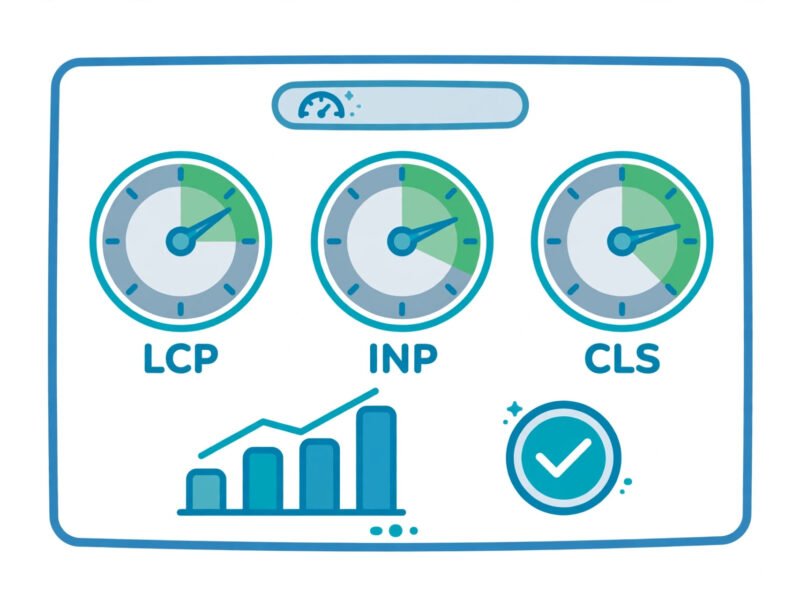
Check it free: run your homepage and one inner page through PageSpeed Insights and read the Core Web Vitals field data. Good means LCP within 2.5 seconds, INP within 200 milliseconds and CLS at 0.1 or less. Our Core Web Vitals guide explains those three numbers in plain English, and our WordPress speed guide works through the fixes in order, quick wins first. Check on a real phone too, not just a resized browser window: text too small to read and buttons too close together are mistakes a desktop check never catches.
Mistake 10: Chasing quick wins and bought links
The last mistake is the only one that can actively harm you. It covers keyword stuffing, buying links, using link schemes, hiding text, and expecting to rank at the top of page one in a week. These shortcuts are sold to small businesses every day by spam email, and they all end the same way: no lasting ranking, and a risk of a Google penalty that takes months to recover from. Google’s spam policies are clear about this, and the sites that buy their way up are the sites that disappear from results.
Check it free: look at your inbox. If an SEO company promises a number one ranking, 2,000 links for a small fee, or submission to hundreds of search engines, delete it. Real links are earned by useful content and genuine relationships, not bought in bulk. Our off-page SEO guide shows the slow, honest way to build links with free tools only, week by week. It is slower than buying links. It is also the only way that lasts.
The 30-minute self-audit checklist
You do not need a consultant to find these mistakes. Set a timer for 30 minutes, open the free tools, and work through this table. Every check uses Search Console, PageSpeed Insights or a plain Google search. If a check fails, the fix is in the section linked next to it.
| Minute | Check | Free tool | What good looks like |
|---|---|---|---|
| 0 to 5 | Search your business name and town on Google | Google search | Business Profile box appears, details correct |
| 5 to 10 | Open Search Console, Pages report | Search Console | Important pages indexed, no unexplained exclusions |
| 10 to 15 | Open Search Console, Performance report | Search Console | Queries match the pages they land on |
| 15 to 20 | Run homepage through PageSpeed Insights | PageSpeed Insights | LCP 2.5s or less, INP 200ms or less, CLS 0.1 or less |
| 20 to 25 | Read your homepage title and description in search results | Google search | Unique title under 60 characters, description 120 to 155 |
| 25 to 30 | Open your top 3 pages, count internal links | Your own site | Each page links to 2 or 3 relevant pages |
Write down what fails, then fix in impact order from the first table. Do the four quick wins this week. Do the rest over the next month. Then run the audit again. SEO is not a one-off job; it is a routine, and 30 minutes a month keeps these mistakes from coming back.
What does each mistake look like from the outside?
If you are not sure which mistake you have, start from the symptom. This table matches what you can see to the likely cause and the guide that fixes it.
| Symptom you can see | Likely cause | Fix it with |
|---|---|---|
| Pages rank for nothing, or the wrong things | No keyword per page, wrong search intent | On-page SEO checklist |
| Clicks are low even when you rank | Weak titles and meta descriptions | On-page SEO checklist |
| Pages missing from Google entirely | No Search Console, indexing or sitemap problem | Search Console setup guide, technical audit |
| Visitors leave in seconds on phones | Slow pages, poor mobile experience | Speed guide, Core Web Vitals guide |
| Local searches bring no calls | Business Profile unclaimed, no local signals | Local SEO checklist |
| Good pages get no traffic at all | No internal links pointing to them | On-page SEO checklist |
Frequently Asked Questions
What is the single biggest SEO mistake small businesses make?
Having no clear keyword for each page. Everything else depends on it: the title, the headings, the content and the internal links all follow from knowing what search each page is meant to win. Fix the keywords first, then the rest of the list gets easier.
How long does it take to fix SEO mistakes?
The four quick wins in this guide take under an hour each: pick keywords, rewrite titles and descriptions, connect Search Console, claim the Business Profile. Content and speed fixes take longer, days to weeks. Rankings move after that, not during: Google needs time to recrawl and rejudge the pages, so expect weeks, not days, before the results show.
Will fixing these mistakes get me to page one?
Not on its own. Fixing mistakes removes what holds you back; it does not guarantee a top ranking. Page one also needs genuinely useful content, real links and time. What fixing mistakes does guarantee is that your content gets a fair chance, which it does not have while these mistakes are in place.
Do I need an SEO plugin?
Yes, one. On WordPress, a plugin like Yoast SEO makes titles, meta descriptions, sitemaps and basic checks far easier, and it is the route our guides use. One plugin is enough. Installing five SEO plugins, or a new plugin for every problem, creates the plugin bloat that slows your site down.
How often should I audit my site?
Run the 30-minute self-audit in this guide once a month, and check Search Console once a week. A full technical audit is worth doing once or twice a year, or after any big change: a redesign, a move to a new host, or adding many new pages at once.
Are paid SEO tools needed to fix these mistakes?
No. Every check in this guide uses a free tool: Google Search Console, PageSpeed Insights and a plain Google search. Paid tools add convenience and deeper data, but none of these ten mistakes needs one to find or to fix. Spend the money on content instead.
Fix the quick wins this week
SEO mistakes feel overwhelming as a list, but they are not ten separate projects. They are four quick wins, a few medium fixes and one thing to stop doing. Start with the quick wins: one keyword per page, unique titles and descriptions, Search Console connected, Business Profile claimed. Then work through the rest in impact order, one a week, and run the 30-minute audit monthly to keep them fixed. If a fix needs more detail, the guides linked in this article cover each one step by step: the on-page checklist for keywords and titles, the Search Console setup for indexing, the technical audit for the quiet problems, and the off-page guide for links done the honest way. The mistakes are common. Fixing them is what makes a site uncommon.