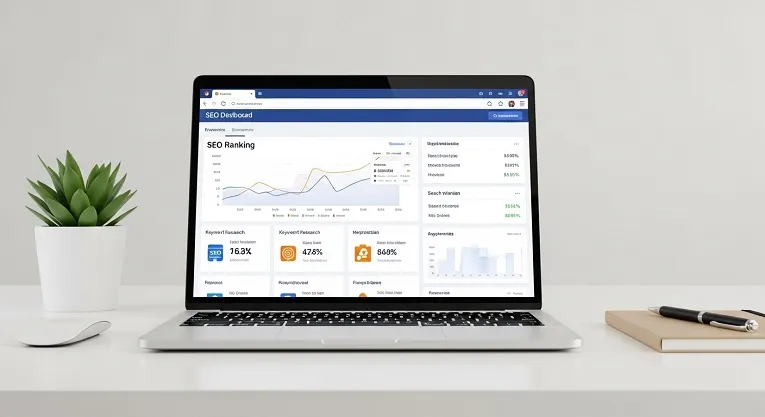
Quick answer: The best SEO tools for beginners are Google Search Console and Google Keyword Planner to start completely free, Ubersuggest for beginner-friendly keyword research, Screaming Frog for technical site audits, and a rank tracker such as Ahrefs or SERPWatcher once you are ready to monitor progress over time. Start with the free tools, add a low-cost tool once you are publishing consistently, and only move to premium tools once you have outgrown what the earlier tiers offer.
Choosing the right SEO tools makes a genuine difference in how quickly a new website grows, but the sheer number of options overwhelms most beginners before they even start. Some tools are expensive, some are needlessly complicated, and some promise far more than they actually deliver.
This guide breaks down SEO tools by what they actually do, in a realistic free-to-paid order, so you are not paying for capability you do not need yet.
Why the Right Tools Matter for Beginners
SEO tools solve the core problems every new site owner runs into: finding keywords worth targeting, understanding what content already ranks well, tracking your own progress over time, and catching technical issues that quietly block your rankings. Without the right tools, beginners end up guessing rather than working from real data, which wastes far more time than the tools themselves cost.
How to Choose SEO Tools as a Beginner
Before comparing specific tools, use this simple checklist. A tool worth adopting should be genuinely easy to use without a steep learning curve, offer a usable free tier or affordable entry price, cover a core need such as keyword research or site auditing, and give you clear, actionable recommendations rather than raw numbers you have to interpret yourself.
Keyword Research Tools
Keyword research is the foundation everything else builds on. Finding the right keywords determines whether your content ever gets discovered at all.
Google Keyword Planner is completely free and gives you real search volume and keyword suggestions straight from Google’s own data. Enter a seed keyword, review the suggestions, filter by location and language, and prioritise lower-competition terms for a new site.
Ubersuggest offers a simpler, more beginner-friendly interface than most alternatives, combining keyword suggestions, SEO difficulty scores and content ideas in one dashboard, with a genuinely usable free tier.
For a fuller comparison of free options specifically, our roundup of free keyword research tools for beginners covers several more tools in depth.
Site Audit and Technical SEO Tools
Technical SEO ensures search engines can actually crawl and index your site properly, which matters before content quality can make any difference at all.
Screaming Frog crawls your website and flags broken links, missing meta titles, duplicate content and slow-loading pages. The free version covers up to 500 URLs, which is enough for most beginner sites to run a genuinely thorough first audit.
Google Search Console is free and shows exactly how your site performs in search: clicks, impressions, the specific queries bringing you traffic, indexing issues and mobile usability problems, all sourced directly from Google.
For the complete step-by-step process, including what to prioritise first, our guide on how to do a technical SEO audit walks through a full audit in order. If your site serves a specific area, our local SEO checklist for small business covers the additional steps that matter for local visibility specifically.
Rank Tracking Tools
Tracking your keyword rankings over time tells you whether your wider SEO strategy is actually working, rather than guessing based on vague traffic impressions. It also helps you spot a genuine algorithm-related drop early; if your rankings fall suddenly, our guide on how to recover from a Google algorithm update covers how to diagnose and respond.
SERPWatcher provides daily ranking updates with clear, easy-to-read graphs, which suits beginners who want straightforward progress tracking without a steep learning curve.
Ahrefs Rank Tracker offers more detailed data, including rankings by country and full historical performance across multiple keywords. It is a premium tool, but a free trial or entry-level plan is enough to start with while you are learning.
Backlink and Competitor Analysis Tools
Understanding what your competitors are doing helps you plan a smarter, more realistic SEO strategy rather than working entirely in the dark.
Moz Link Explorer reveals your competitors’ backlinks, their domain authority score, and which sites link to them, giving you a clear picture of what it would genuinely take to outrank them.
Semrush Backlink Analytics adds detailed link-gap analysis, letting you compare your own backlink profile against competitors and identify specific link-building opportunities you are currently missing.
Free vs Paid: A Realistic Path
Most beginners genuinely do not need to pay for anything at the start. A sensible progression looks like this: begin entirely with free tools such as Google Keyword Planner and Google Search Console, add low-cost tools like Ubersuggest and SERPWatcher once you are publishing consistently, then gradually move to advanced paid tools such as Ahrefs once your site has real traffic worth optimising in more detail.
This staged approach avoids both unnecessary early spending and the overwhelm of trying to learn five complex tools before you have published a single piece of content.
Common Mistakes Beginners Make With SEO Tools
Targeting keywords that are too competitive. Even the best tools cannot help a brand-new site outrank an established competitor on a broad, high-volume term. Start narrower.
Collecting data without acting on it. A tool’s recommendations only help if you actually implement them. Reviewing a report without changing anything wastes the time spent generating it.
Ignoring search intent. Ranking data alone does not tell you whether a searcher wants a guide, a product page or a comparison. Check the actual search results yourself before committing to a content format.
Relying on one tool alone. Combining a keyword tool, a technical audit tool and a rank tracker covers far more ground than any single tool used in isolation.
Frequently Asked Questions
What is the best free SEO tool for beginners?
Google Search Console and Google Keyword Planner are both completely free and cover the two most essential starting needs: understanding your current search performance and finding realistic keywords to target.
Do I need to pay for SEO tools as a beginner?
No. Free tools cover most of what a new site genuinely needs early on. Paid tools become worthwhile once you are publishing consistently and want more detailed competitor and ranking data.
What is the difference between a keyword tool and a rank tracker?
A keyword tool helps you find what to target before you publish. A rank tracker monitors how your published content actually performs in search results over time.
Can SEO tools guarantee my website will rank?
No. Tools speed up research and highlight opportunities, but genuine content quality, technical site health and backlinks still determine whether a page actually ranks.
What SEO tool should I use first as a complete beginner?
Start with Google Search Console, since it is free, requires no separate account setup beyond verifying your site, and shows you exactly how your site currently performs in search.
How many SEO tools does a beginner actually need?
Three cover most needs: one for keyword research, one for technical auditing, and one for tracking rankings over time. Adding more before mastering these three usually adds confusion rather than value.
Getting Started
Pick one tool from each category above rather than trying every option at once, and build a simple, repeatable process around them for your next few pieces of content. If you want to see how AI tools fit alongside this traditional SEO toolkit, our guide to the best AI tools for SEO beginners covers where the two overlap and where they do not.