Quick answer: Ask every customer the same day, with a link to your Google review box. Create the link and QR code free from your Google Business Profile, put it on receipts and invoices, and send it by text while the job is fresh. Reply to every review. Offer nothing in return: incentives and fake reviews break Google rules and UK law.
Most small businesses do not have a review problem. They have an asking problem. Happy customers rarely leave a review on their own, and the ones who do tend to be the unhappy few. So the profile that the public sees is not a fair picture of the business at all. It is a picture of who felt strongly enough to write.
That matters more than most owners realise. Google counts reviews and ratings towards prominence, one of its three local ranking factors, alongside relevance and distance. A profile with recent, written reviews is more likely to show in the map pack, and when it does, the stars are the first thing a searcher sees. A wall of five stars with no words looks bought. A mix of recent reviews, with replies from the owner, looks like a real business that cares.
This guide gives you a system, not a trick. You will set up your review link and QR code, ask every customer the same way, reply to what comes in, and show the best of it on your website. And you will stay inside the rules, because since April 2025 those rules have teeth in the UK.
How many reviews do you actually need?
There is no magic number, and Google publishes no review count for the map pack. Your target is set by the businesses already showing for your main job in your town. Take five minutes on your phone this week:
- Search your main job and your town, for example “plumber in Leeds” or “hair salon in Bristol”.
- Note the three businesses on the map and how many reviews each one has.
- Open each profile and check the dates of the latest few reviews.
- Look at the star rating and whether the reviews have written text or are stars only.
- Do the same for your second most profitable job.
If the top three have a handful of reviews each, a steady month of asking can put you level with them. If they have hundreds, it is a longer climb, and that is fine. The aim is to keep pace with them every month, not to hit a total and stop. A steady flow beats one big burst: recent reviews, reviews with written text, and a regular rhythm all matter more than a single spike.
As a rough guide, aim for your first 10 reviews in your first month of asking, then 2 to 4 new reviews a month after that. Ten genuine reviews with replies already puts most small businesses ahead of the local competition, because most local competitors have fewer than ten, and many have none at all.
First, the rules: Google and UK law
Before you ask anyone, know where the lines are. There are two sets of rules, and they agree on the simple version: ask everyone, the same way, and offer nothing in return.
| What you must not do | Google’s rule | UK law (DMCC Act 2024) |
|---|---|---|
| Offer a discount, gift or payment for a review | Banned: no incentives, such as payment, discounts or free goods, in exchange for reviews | Banned: incentivised reviews are on the banned list unless the incentive is clearly disclosed |
| Only ask customers you think are happy | Banned: selectively asking for positive reviews, known as review gating | Banned: publishing reviews in a misleading way, including hiding the negative ones |
| Discourage or hide negative reviews | Banned: discouraging negative reviews breaks Google’s policy | Banned: suppressing genuine negative reviews is misleading under the Act |
| Write reviews yourself, or have staff or friends write them | Banned: fake engagement is removed, and the profile can be penalised | Banned in all circumstances: a fake review is a banned commercial practice since 6 April 2025 |
| Pay someone to write or remove reviews | Banned: buying reviews breaks Google’s policy | Banned: commissioning fake reviews is a banned commercial practice |
The UK side changed in April 2025. The Digital Markets, Competition and Consumers Act 2024 put fake and concealed incentivised reviews on the list of practices that are banned in all circumstances. The rules took effect on 6 April 2025, and the Competition and Markets Authority published its guidance (CMA208) on 4 April 2025. Because the practices sit on the banned list, the CMA does not have to prove that a particular review changed anyone’s buying decision. The practice itself is the offence.
The CMA can now decide breaches and impose fines itself, rather than going to court first. The maximum penalty is up to 10 per cent of a business’s annual global turnover, or £300,000, whichever is higher. It allowed a three-month adjustment period, April to June 2025, before enforcement began. In July 2025 it reported that a sweep of more than 100 businesses’ websites found 54 that might be falling short of its guidance, and said it was writing to them.
The government found in 2023 that up to 15 per cent of reviews for three common product categories are fake, and that fake review text causes an estimated £50 million to £312 million in total annual harm to UK consumers. That is why the law is written the way it is. For a small business, the practical rule is simple: ask everyone, pay no one, and fake nothing.
One more rule worth knowing: Google’s own help says a mix of positive and negative reviews often feels more trustworthy, and a wall of identical five stars can look too good to be true. A negative review, handled well in public, is not damage. It is proof that the reviews are real.
Step 1: Get your review link and QR code
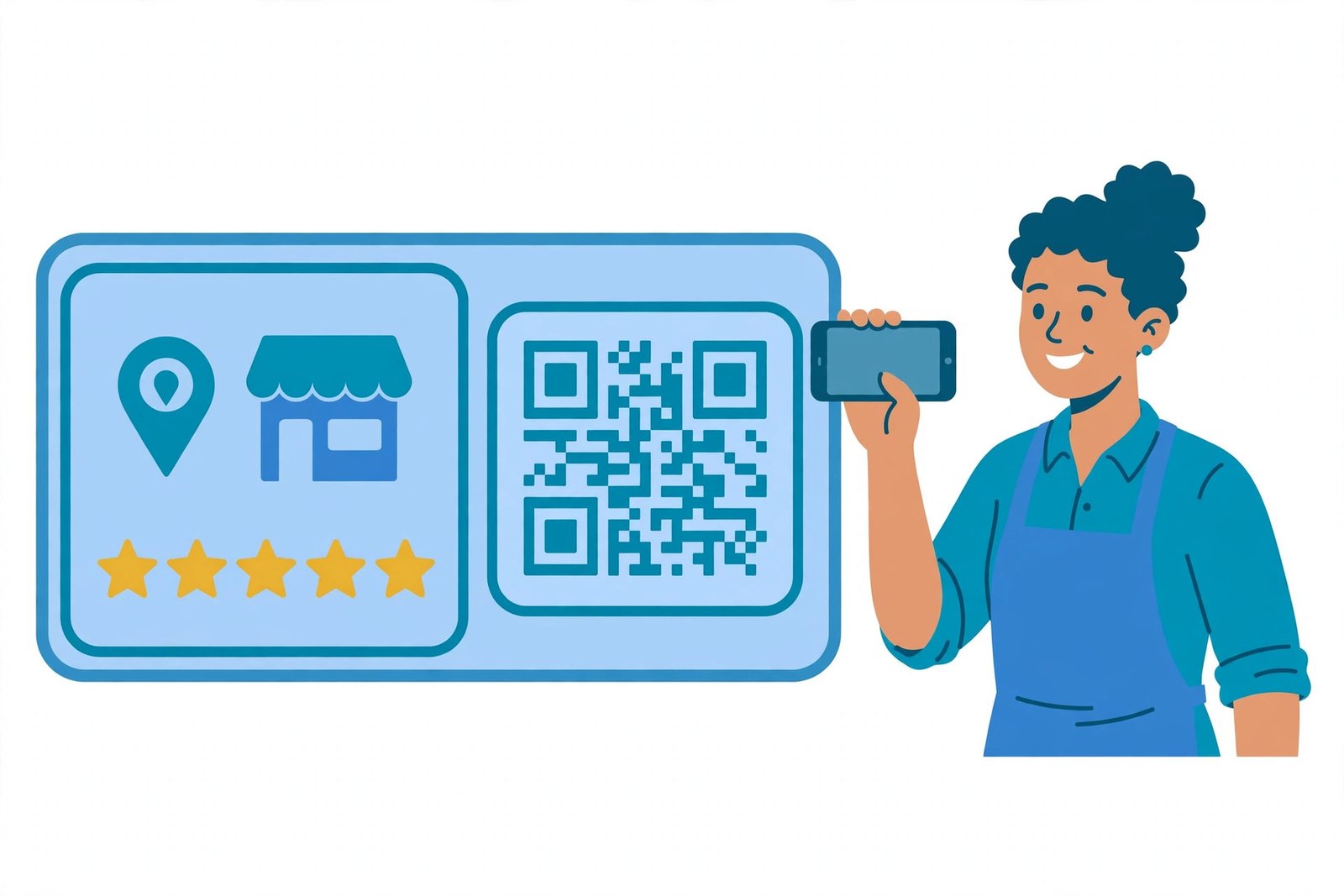
Google gives you a link and a QR code free from your Business Profile. The link opens the review box for your business straight away, so the customer does not have to search for you first. That one step is the difference between a review and a good intention that never happens.
To create it, sign in to the Google account that manages your profile on a computer, open your Business Profile, select Read reviews, then the share option labelled Get more reviews. Copy the link, or save the QR code image. One catch: Google says the QR code can only be generated from a desktop browser, not a phone, so do this one at your computer. Customers need to be signed in to a Google Account to leave a review, so the link works best when it arrives on the phone they already use.
Once you have the link, put it everywhere a customer already looks after buying from you:
- Your email signature, so every message carries it.
- Your “job done” or thank-you email, and your invoice or receipt.
- Your thank-you page on your website, and your contact page.
- A small card by the till or counter with the QR code, for a cafe, salon or shop.
- Your van, if you work on the road, with the QR code where a customer can scan it at the door.
Keep the link in your phone’s notes so you can paste it in two taps. If your profile is not set up properly yet, sort that first: claim and verify your profile, add your opening hours, services and photos. A review link that leads to a half-empty profile wastes the review.
Step 2: When and how to ask
Timing matters more than wording. Ask while the good feeling is fresh, and ask in person first if you can. Asking in person, then sending the link the same day, works far better than an automated email three weeks later. The three-touch system below catches different kinds of customers without pestering anyone.
Touch 1: At the end of the job
Say it out loud before you leave. A simple, friendly line is enough: “If you have got a minute later, a Google review really helps a small business like mine. I will text you the link.” You are not asking for five stars. You are asking for their honest view, and you are telling them the link is coming.
Touch 2: The same day, by text or email
Send the link within a few hours, while the job is still fresh in their mind. For most trades, a text or WhatsApp message is the easiest way: short, personal, with the direct link. For online orders, send it in the delivery or completion email. Keep it to two or three lines. If something is not right, invite them to reply to you directly instead, so you can sort it before it becomes a public review.
Touch 3: One polite reminder, then stop
If nothing comes in after three or four days, send one short nudge. Then leave it. A second reminder starts to feel like pressure, and pressured reviews read like pressured reviews. One reminder is enough, and it catches the people who meant to do it and forgot.
Ask every customer, not just the happy ones. That is not only the rule, it is also better for you: a profile with only five-star reviews looks filtered, while a profile with a spread of ratings and thoughtful replies looks honest. If you only ever hear from happy customers, you are also missing the feedback that tells you what to fix.
Step 3: What to say (copy and paste templates)
Keep the wording open and easy. You are inviting feedback, not demanding praise. Change the names and details to fit your business, and keep the link in every version.
| When | What to say |
|---|---|
| Text message, same day | Hi Sarah, it is Dan from Brightside Electrical. Thanks for having us round today. If you have got a minute, a Google review would really help: [link]. Thanks! |
| Email, after delivery | Subject: Thanks from [business name]. Hi [name], your order should have arrived today. We hope you love it. If you have a minute, we would really value a quick Google review. It helps other people find us: [link]. And if anything is not right, just reply to this email and we will sort it. |
| In person, at the end of a job | Thanks again. If you have got a minute later, a Google review really helps a small business like mine. I will text you the link, it goes straight to the box. |
| Invoice or receipt | Thanks for your order. Once it is with you, we would love to hear what you think: [link]. |
| One reminder, three days later | Hi [name], now you have had [product or service] for a little while, how are you getting on? If you would like to share your thoughts, you can leave a Google review here: [link]. If not, no worries at all. Thanks again for choosing us. |
Add the link to your email signature and your standard “job done” message so you do not have to remember it each time. The system should run without willpower: the ask happens because the template is already written, not because you remembered on a good day.
Step 4: Reply to every review, good and bad
Google encourages replying to reviews, and future customers read your replies as closely as the reviews themselves. A reply shows that a real person is behind the business, and it is your best chance to turn a review into a selling point.
For a good review, keep it short, polite and personal. Use their name, mention the job, and thank them. Avoid generic thank-yous that could fit any business, and do not use the reply to push an offer or a discount. Something like “Thanks Sarah, glad the new boiler is running well. It was a pleasure working in your home” says more than “Thanks for the great review!”
For a detailed good review, quote back one thing they said. It shows you actually read it, and it tells the next reader what you are good at, in a customer’s own words.
For a three-star review, thank them, take the fair point seriously, and say what you will do differently. A calm, specific reply to a middling review often wins more trust than a five-star review with no reply at all.
For an unfair negative review, stay calm, do not share private details, apologise where it is right to, and offer to sort it out by phone or email. Never argue in public, and never accuse the reviewer of lying in your reply. If the review breaks Google’s rules, for example it is fake, spam, or from a competitor, you can flag it for removal through your Business Profile, but flagging does not guarantee removal, so reply first and flag second.
For a fake review, do not engage with its claims. Keep the reply short and factual, flag it to Google, and keep a note of the date and what you flagged. If the reviewer is not a real customer, say so plainly and move on.
Reply within a day or two when you can. A quick reply shows the business is active, and it doubles the value of the review: the reviewer feels heard, and the next hundred readers see a business that responds.
Step 5: Show reviews on your website (properly)
Your best reviews belong on your website, where they can turn a visitor into an enquiry. But there are rules here too, and they are the same ones as before: show them honestly.
- Ask permission before quoting someone by name, even if the review is public.
- Do not cherry-pick in a misleading way. Showing only five-star reviews while hiding the rest is misleading under UK law.
- Show the review as it was written, with the reviewer’s first name and the date if you have them. Do not edit the words to make them stronger.
- Link through to your Google profile so visitors can read the full set, good and bad.
- Keep the display current. A testimonial page with reviews from 2023 tells a visitor nothing about the business today.
The simplest honest format is a small set of recent reviews on your homepage or services page, with a link that says “Read all our Google reviews” leading to your profile. That way you are showing your best work without hiding the rest, and the visitor can check the full picture for themselves.
Your 30-day plan to your first 10 reviews
Here is the whole system as a month of small steps. If you already have reviews, start at week two and keep the rhythm going.
| When | What to do | Done when |
|---|---|---|
| Day 1 | Create your review link and QR code from your Business Profile on a computer | Link saved in your phone notes, QR code saved as an image |
| Day 1 to 2 | Put the link on your email signature, invoice template and thank-you page; print the QR card for the counter or van | Link live in all four places |
| Day 3 | Check your three nearest competitors on Google Maps and note their review counts and latest dates | You know the number you need to beat |
| Days 4 to 30 | Ask every customer in person at the end of the job, then text or email the link the same day | Every customer asked, no one skipped |
| Days 7 to 30 | Send one reminder after three days to anyone who has not reviewed yet, then stop | One reminder each, no more |
| Daily | Reply to every review within a day or two, by name, mentioning the job | No review left unanswered |
| Day 30 | Count your reviews, add the best recent ones to your website with a link to your full profile | 10 reviews is the target; whatever you have, it is a start |
After the first month, the system runs itself: ask, send, remind once, reply. Two to four new reviews a month keeps the profile fresh, and a fresh profile is what Google and customers both reward. If you want the wider picture, our local SEO checklist for small business puts reviews in context with your profile, citations and on-page local SEO, and our SEO mistakes guide covers the other errors that quietly hold small sites back.
Common mistakes to avoid
The most common mistake is asking once, or not at all. Happy customers rarely leave a review unprompted, so a business that never asks ends up with a profile written by its unhappiest customers. The second is asking in the wrong place: plenty of businesses collect reviews on Trustpilot or Reviews.io and wonder why their Google profile still has eleven reviews from 2021. Collect where your customers actually search, which for a local business is Google.
The third is pushing too hard, or bending the rules. Begging feels awkward for everyone, and offering a discount in return, or only asking customers you know are happy, breaks Google’s rules and can break the law. The fourth is collecting reviews and then ignoring them: a profile with twenty reviews and no replies looks abandoned. The fifth is treating reviews as a one-off campaign instead of a habit. A burst of reviews in one week, then silence for a year, looks strange to Google and to customers. A slow, steady flow is what you want.
Finally, do not buy reviews, and do not pay a service that promises them. The reviews will be fake, Google removes fake engagement, and since April 2025 the practice is banned under UK law with fines of up to 10 per cent of turnover. No shortcut is worth that risk when asking honestly works.
Frequently Asked Questions
How many Google reviews does a small business need?
There is no fixed number, and Google publishes no target. Your bar is set by the three businesses already showing in the map pack for your main job in your town. Check their counts and latest dates, then aim to match them and keep pace month by month. For most small businesses, ten genuine reviews with replies is a strong start, then two to four new reviews a month.
Is it legal to ask customers for a Google review in the UK?
Yes, asking is legal. What is banned is paying for reviews, offering incentives without clearly disclosing them, writing fake reviews, and selectively asking only happy customers or hiding negative ones. Since 6 April 2025 the Digital Markets, Competition and Consumers Act 2024 lists fake and misleading reviews as banned in all circumstances, and the CMA can fine businesses directly, up to 10 per cent of global turnover or £300,000.
Can I offer a discount for a Google review?
No, not safely. Google’s policy bans incentives such as payment, discounts or free goods in exchange for reviews, and UK law bans incentivised reviews unless the incentive is clearly disclosed. In practice, the safe rule is to offer nothing in return and ask everyone the same way.
How do I get the link to my Google review page?
Sign in to the Google account that manages your profile on a computer, open your Business Profile, select Read reviews, then the share option labelled Get more reviews. Copy the link, or save the QR code image. The QR code can only be generated from a desktop browser, not a phone. Customers need a Google Account to leave a review.
Should I reply to negative Google reviews?
Yes, always. Stay calm, do not share private details, apologise where it is right to, and offer to sort it out by phone or email. A thoughtful public reply to a bad review often wins more trust than a five-star review with no reply. If a review is fake, spam or from a competitor, flag it to Google as well, but reply first, since flagging does not guarantee removal.
Do Google reviews help my website rank higher?
Yes, for local searches. Google counts reviews and ratings towards prominence, one of its three local ranking factors, alongside relevance and distance. Recent reviews with written text and a steady flow help more than a single burst. Reviews also help directly: stars in the search results earn more clicks, and more clicks send a positive signal. For the wider picture, see our Google Search Console setup guide to track how your visibility changes, and our on-page SEO checklist for the basics that support it.
Getting more Google reviews is not a campaign. It is a habit: ask every customer, send the link the same day, remind once, and reply to everything that comes back. Do that for a month and the profile starts to look like the business you actually run. Keep it going, and it becomes one of the cheapest marketing channels you have, because the customers are already yours. The only cost is remembering to ask.